La mayoría de los procesos que nos rodean evolucionan con el tiempo. Las temperaturas del aire fluctúan de una estación a otra, las ciudades crecen a lo largo de décadas, los flujos de tráfico varían durante el día y los indicadores económicos responden a los auges y las crisis. Si registramos estos datos en un único punto, solo obtenemos una instantánea de lo que ocurre en ese momento: sin dinámica.
La analítica moderna exige cada vez más no solo conocer el valor de un indicador, sino comprender cómo y cuándo cambia. Aquí es donde entran en juego los datos temporales y las herramientas que permiten su representación precisa.
¿Qué son los datos temporales y dónde se utilizan?
Los datos temporales son datos que contienen una característica de tiempo: una fecha específica, un momento en el tiempo o un período de acción. Sin esta etiqueta, es imposible rastrear el desarrollo de un proceso. Existen varias formas comunes:
Datos puntuales: registran el estado en un momento específico (p. ej., temperatura a las 12:00);
Datos de intervalo: describen el período de un evento (construcción de 2018 a 2022);
Series temporales: una secuencia de valores ordenados por tiempo.
Estos datos pueden almacenarse en tablas, bases de datos, capas vectoriales o sistemas analíticos especializados. En el análisis espacial, se añade otra característica —el tiempo— a las coordenadas del objeto, convirtiendo el mapa en un modelo de la realidad de cuatro dimensiones.
Las aplicaciones de los datos temporales son extremadamente amplias. En climatología, permiten seguir tendencias a largo plazo y eventos extremos. En estudios urbanos, se utilizan para analizar el crecimiento del desarrollo y los cambios en los flujos de tráfico. En economía, esto significa identificar ciclos y pronosticar la dinámica de los indicadores. En ecología, significa evaluar cambios en las áreas de distribución de las especies y el estado de los ecosistemas.
Sin embargo, la mera presencia de información temporal no garantiza su comprensión. Una tabla con miles de fechas dice poco sin una herramienta que nos permita ver el desarrollo de un proceso a lo largo del tiempo. Por eso nuestra plataforma GISCARTA incluye un widget TimeSlider para mostrar la dinámica de diversos procesos. Más adelante en el artículo se ofrecen más detalles sobre cómo trabajar con él.
Widget Time Slider en la plataforma GISCARTA
Paso 1. Para empezar a usar el widget, habilita su disponibilidad en la sección Widgets de la barra de herramientas.
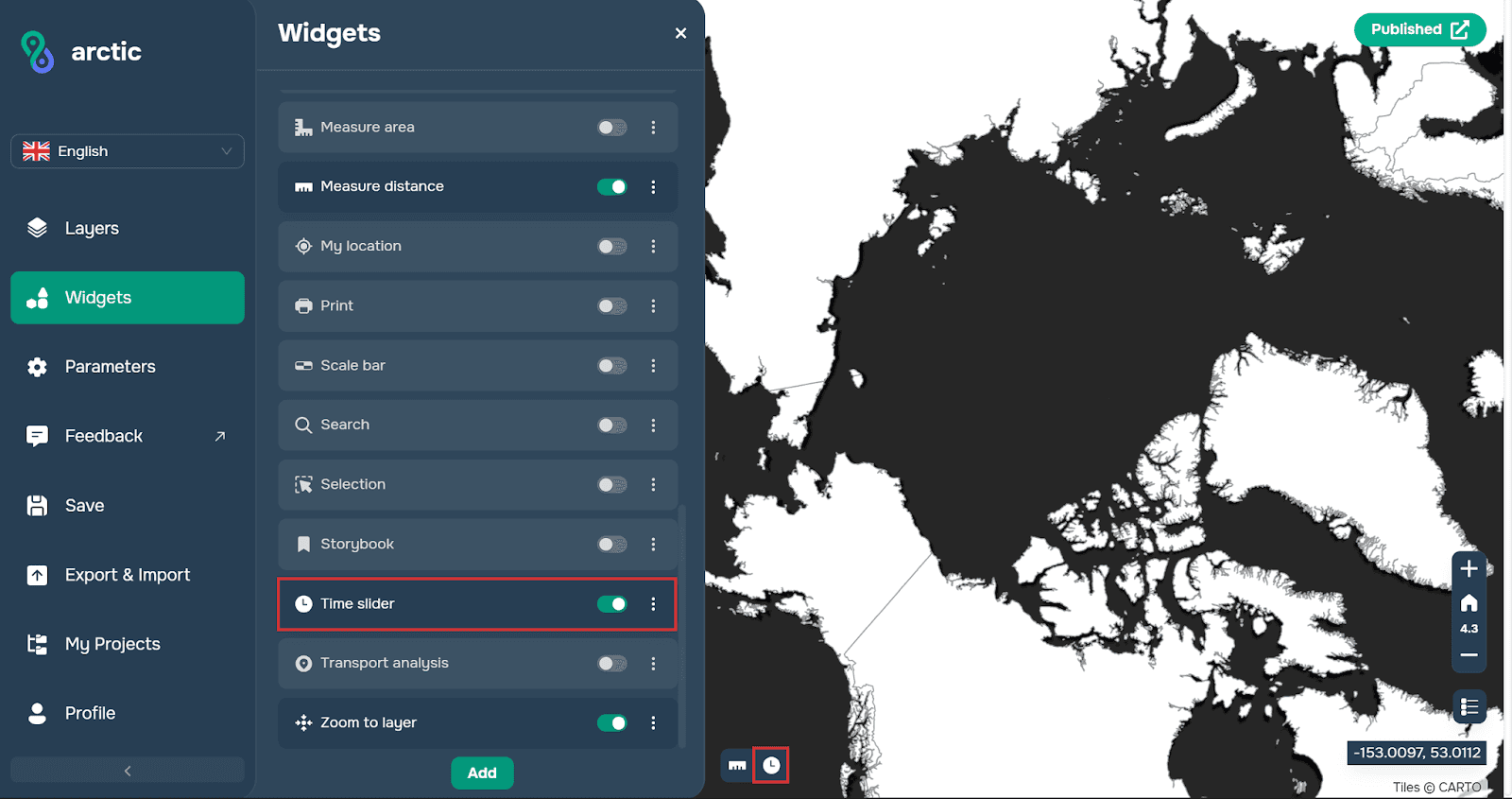
Paso 2. A continuación, debes abrir la ventana del widget.
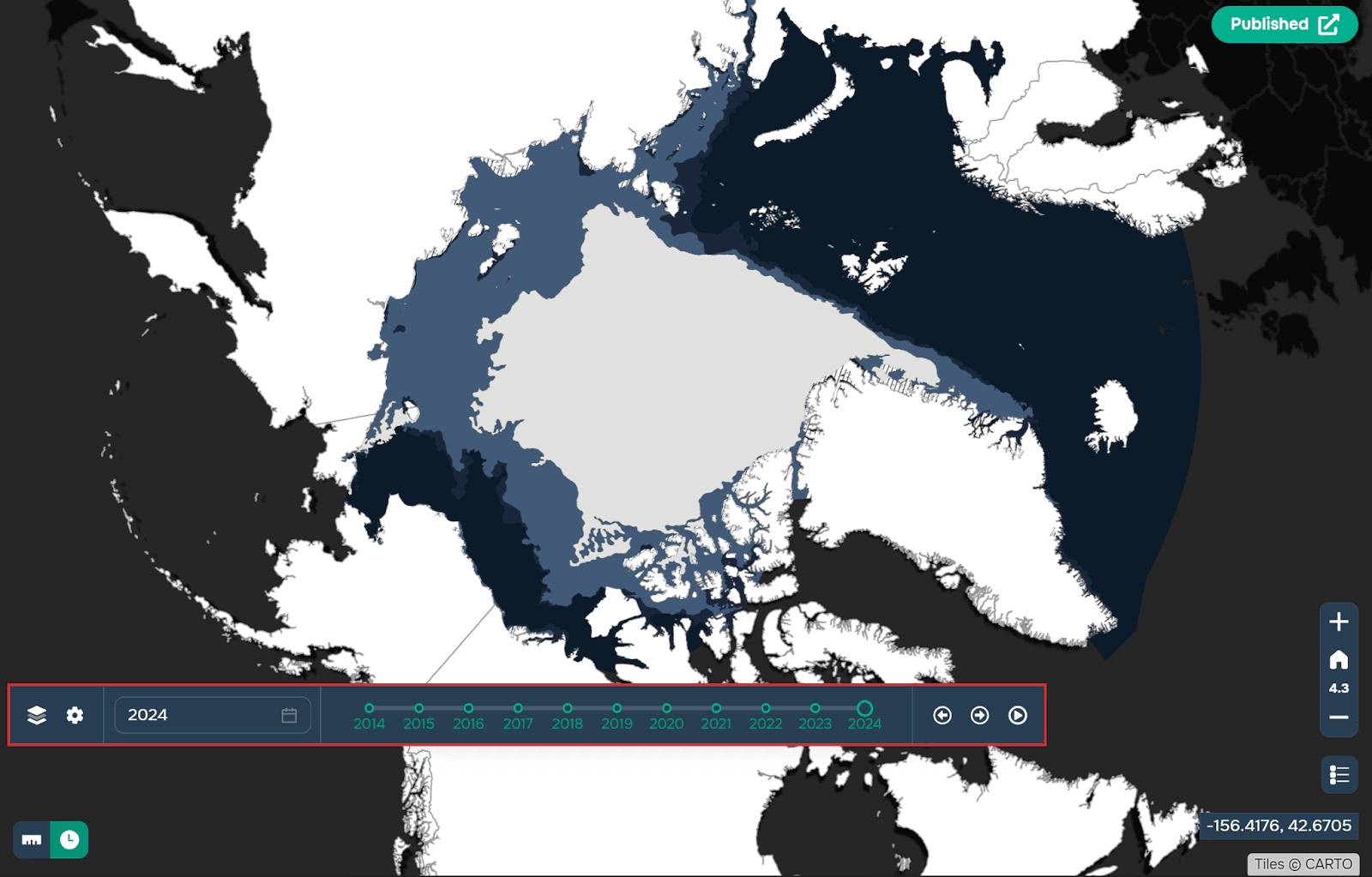
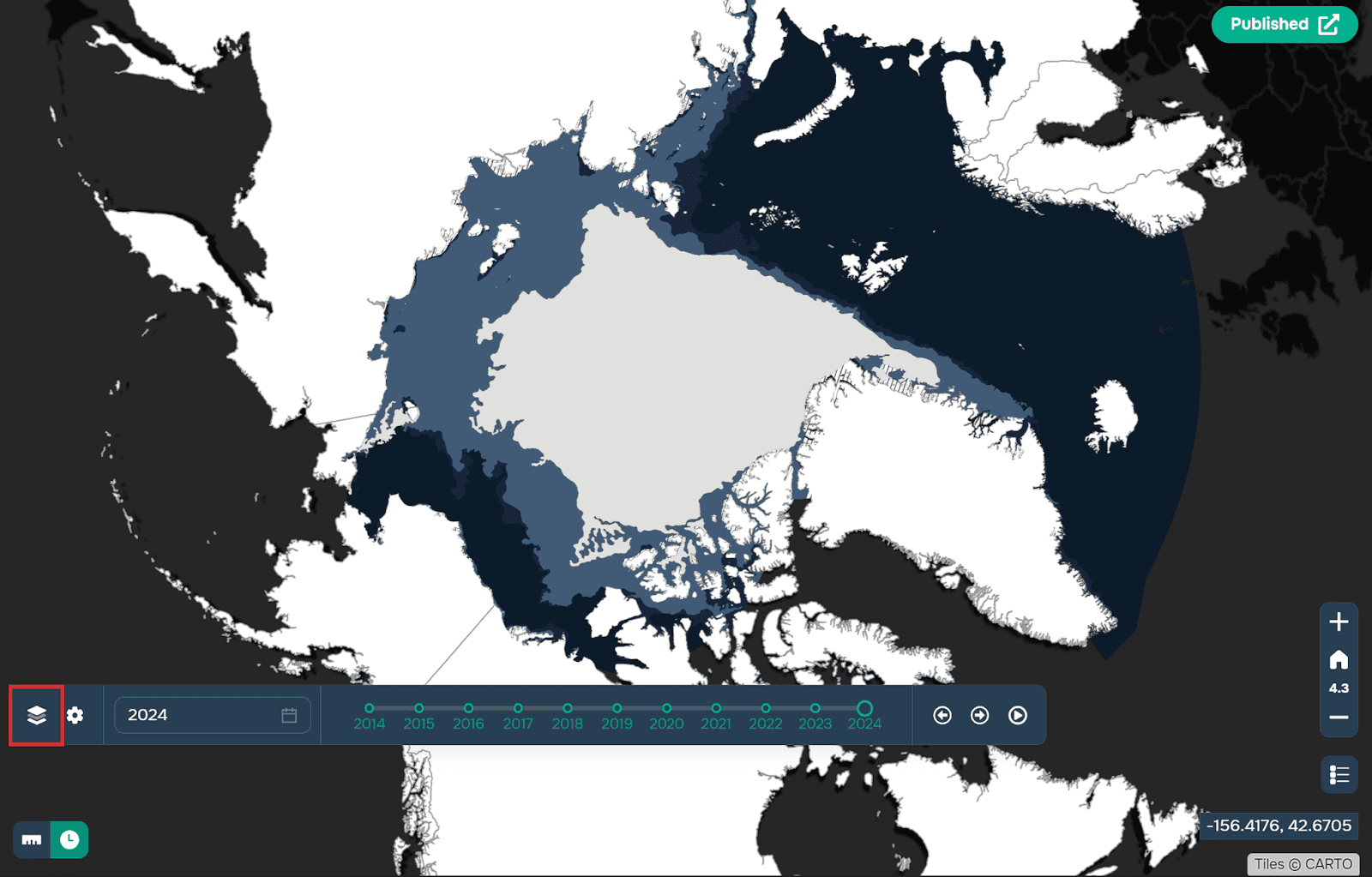
Ahora debes seleccionar la capa con la que planeas trabajar. El requisito principal es que tenga un atributo con el tipo de datos Date. La plataforma sugerirá automáticamente capas adecuadas al hacer clic en el botón más a la izquierda en la vista de capas.
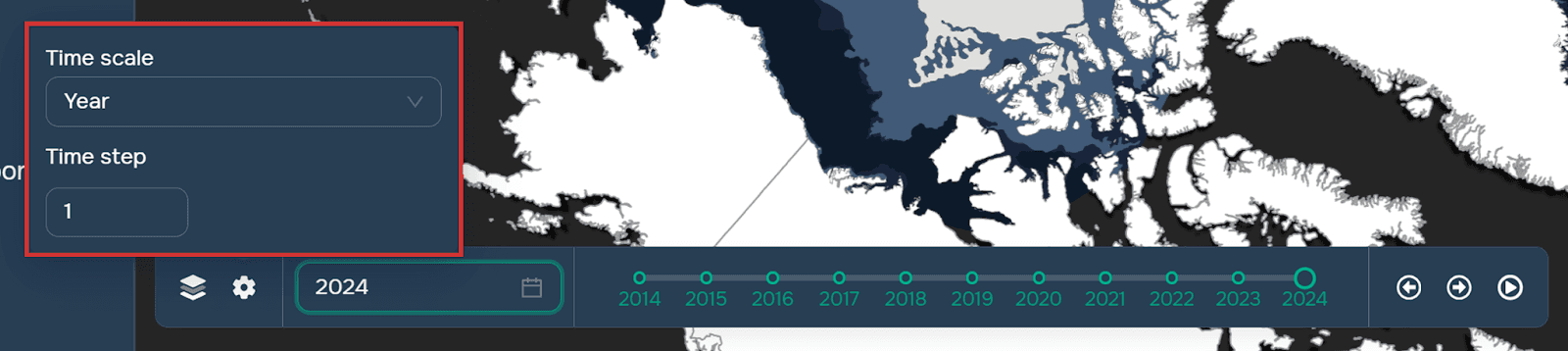
Paso 3. Configura la línea de tiempo del widget (años, meses, días) y el tamaño de su paso. Puedes hacerlo haciendo clic en el icono de engranaje en la ventana del widget. Vale la pena señalar que también puedes seleccionar la línea de tiempo y el tamaño del paso de la capa de origen para que los datos solo se tomen de los períodos especificados en los atributos.
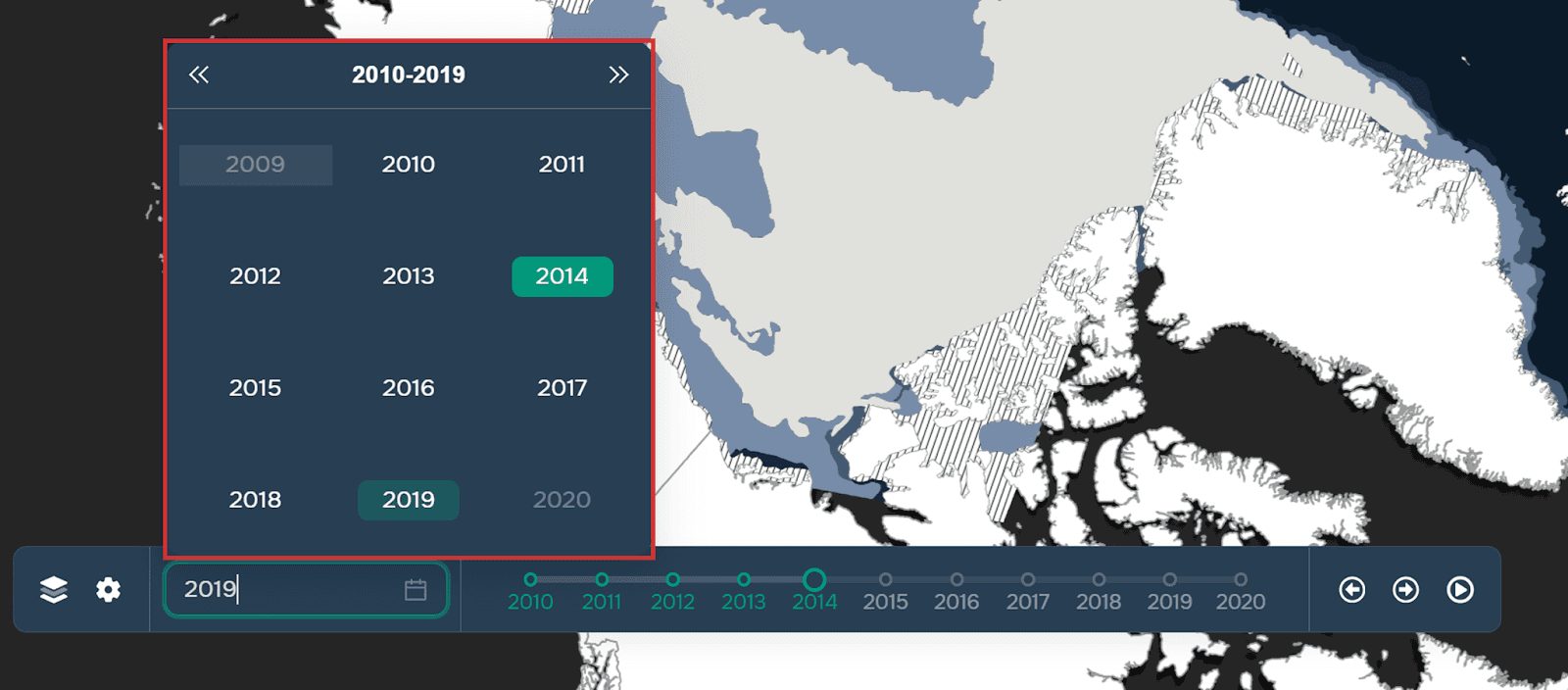
Paso 4. Selecciona el punto de inicio.
Paso 5. Ahora que el widget está configurado, puedes previsualizar su funcionamiento usando el icono de reproducción (los pasos cambiarán automáticamente) o manualmente usando las flechas en el lado derecho de la ventana del widget.

El funcionamiento del widget puede verse a continuación usando el ejemplo de los cambios en la composición de la cubierta de hielo del Ártico.
Puedes encontrar más detalles sobre cómo funciona el widget aquí.
Preguntas frecuentes
¿Qué datos se pueden usar con el widget TimeSlider?
Cualquier capa que contenga un atributo de tipo fecha (marca temporal o período de tiempo) puede utilizarse para la visualización temporal.
¿Se puede personalizar la escala temporal?
Sí. Los usuarios pueden configurar las unidades de tiempo (años, meses, días) y ajustar el intervalo de paso manualmente o en función de los atributos temporales de la capa de origen.
¿La animación es automática o manual?
Ambas opciones están disponibles. Puedes ejecutar la reproducción automática con el botón de reproducción o avanzar por los pasos de tiempo manualmente con las flechas de navegación.
Conclusiones clave
Time Slider permite la visualización dinámica de datos temporales en lugar de instantáneas estáticas.
Funciona con capas que incluyen atributos de fecha y permite una configuración flexible de la línea de tiempo.
El widget ayuda a identificar tendencias, patrones y cambios a lo largo del tiempo mediante animación interactiva.