Aquí puede personalizar el estilo de visualización de las nubes de puntos seleccionando la opción adecuada:
Símbolo único
Por clasificación
Símbolo único
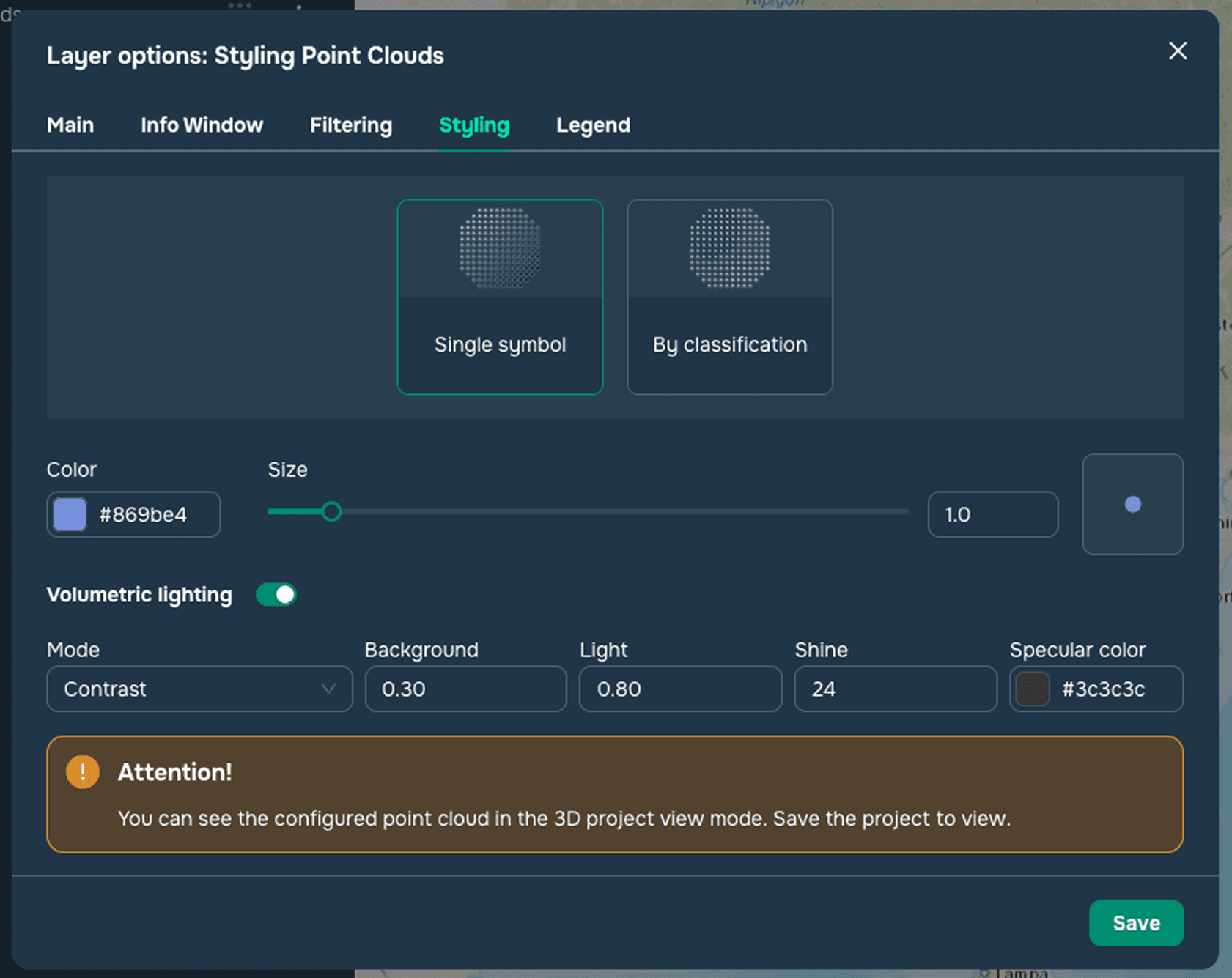
Este estilo se utiliza para aplicar estilo a nubes de puntos con un único símbolo (consulte la Figura 1). Al configurar nubes de puntos con un único símbolo, puede cambiar el tamaño del punto, el color del punto y ajustar la configuración de iluminación volumétrica:
Modo
Fondo
Luz
Brillo
Color especular
Por clasificación
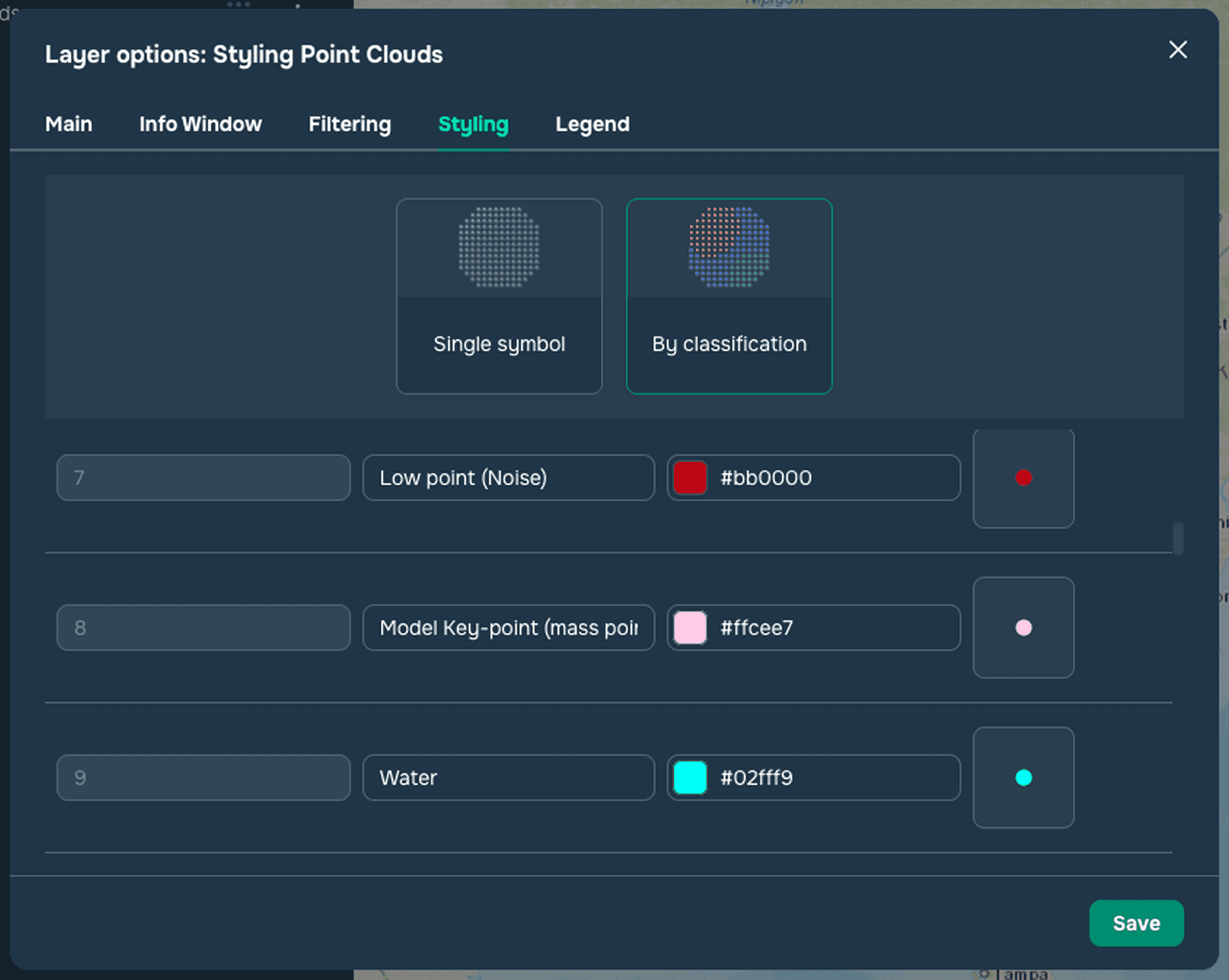
Este estilo se aplica a nubes de puntos con un atributo de clasificación (consulte la Figura 2). Esta sección enumera valores y colores estándar, comúnmente aceptados, para clasificar nubes de puntos. Los usuarios también pueden agregar sus propios valores o cambiar los colores de los valores existentes.
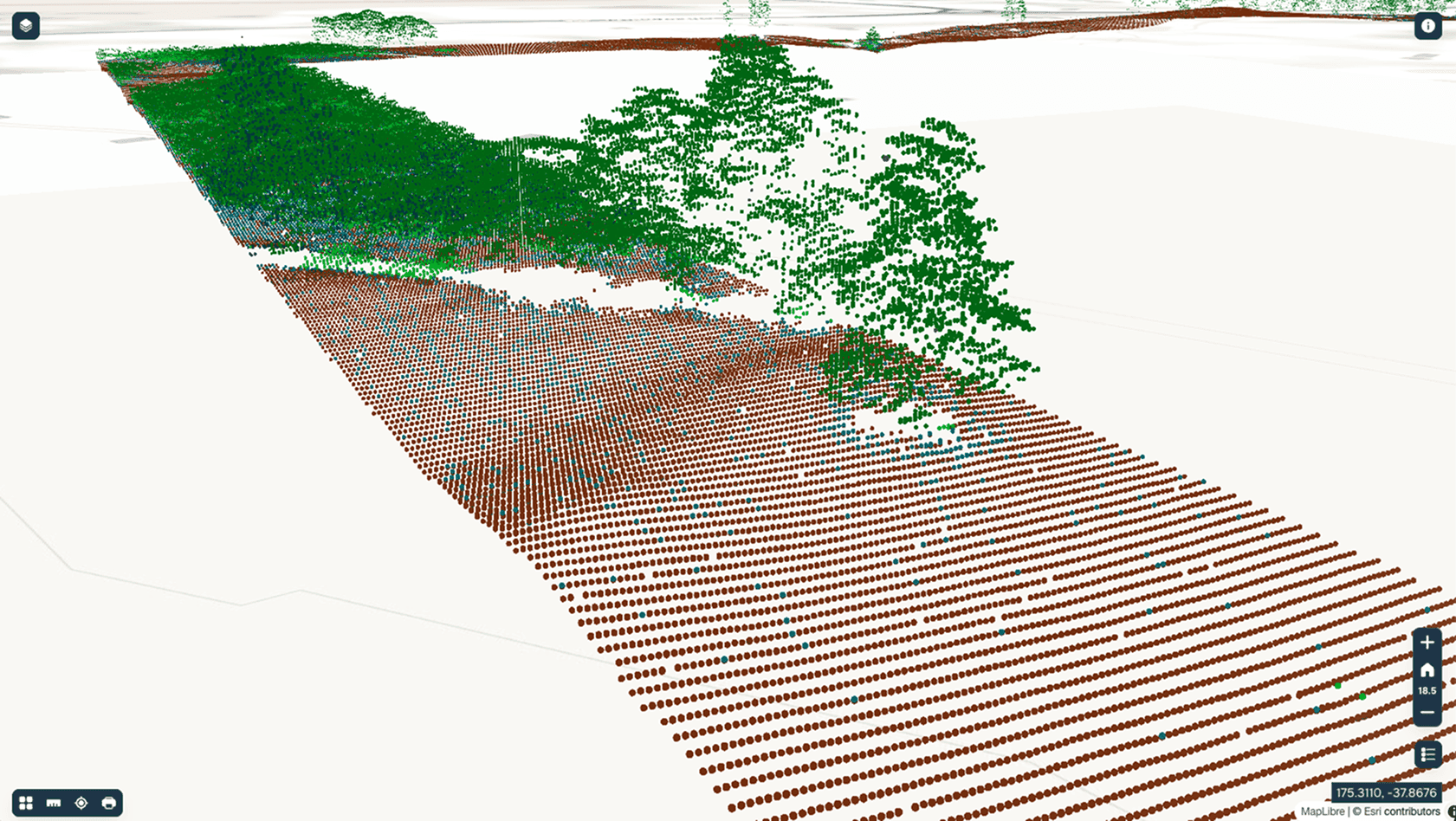
Las nubes de puntos pueden mostrarse en el modo de vista 3D del proyecto (consulte la Figura 3).