Para actualizar una capa existente en la plataforma GISCARTA, seleccione una fila en la lista de capas haciendo clic en el número de fila. Luego haga clic en el icono Actualizar capa, el tercero desde la izquierda.
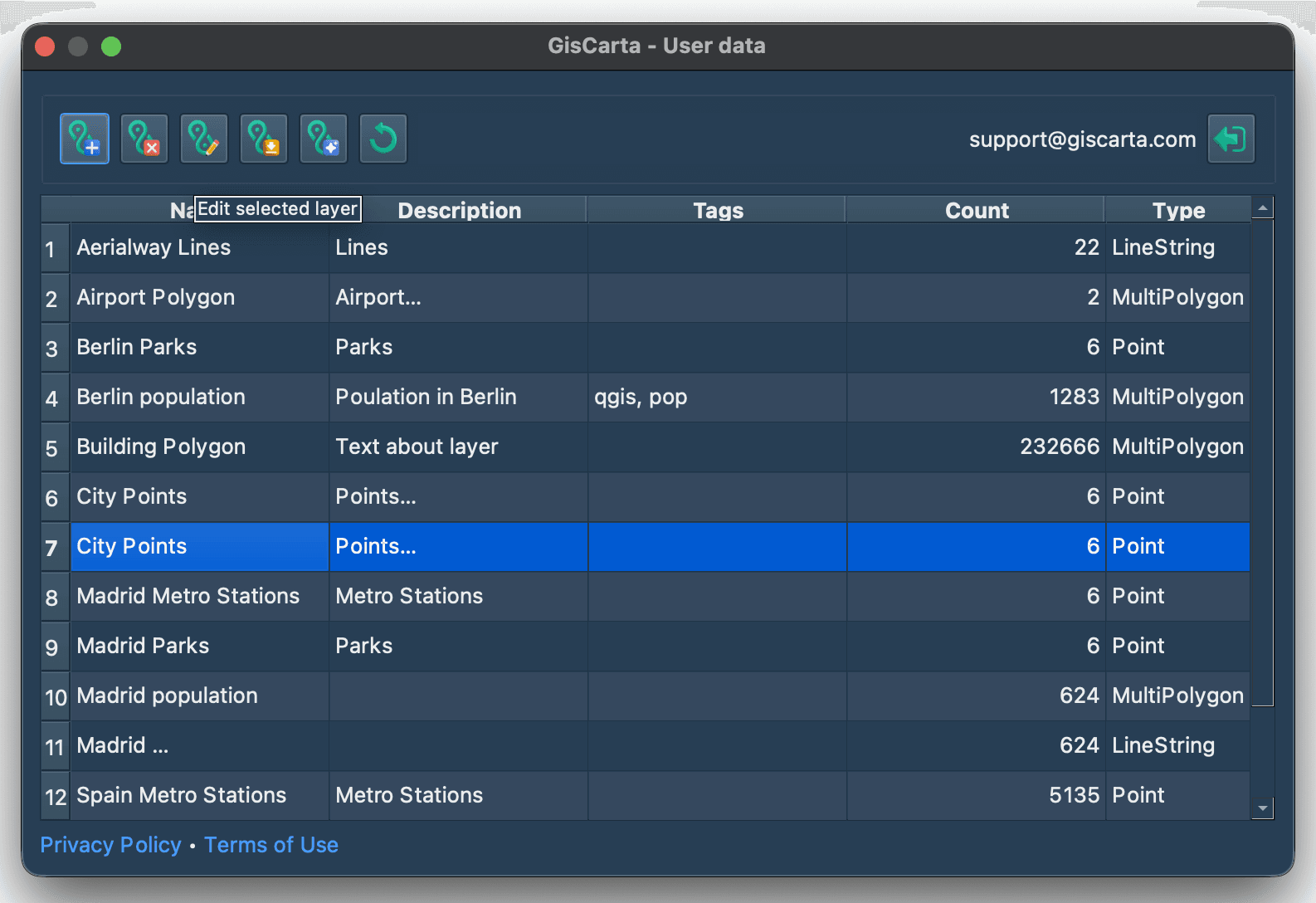
Después de esto, aparecerá una ventana modal con la configuración de actualización.
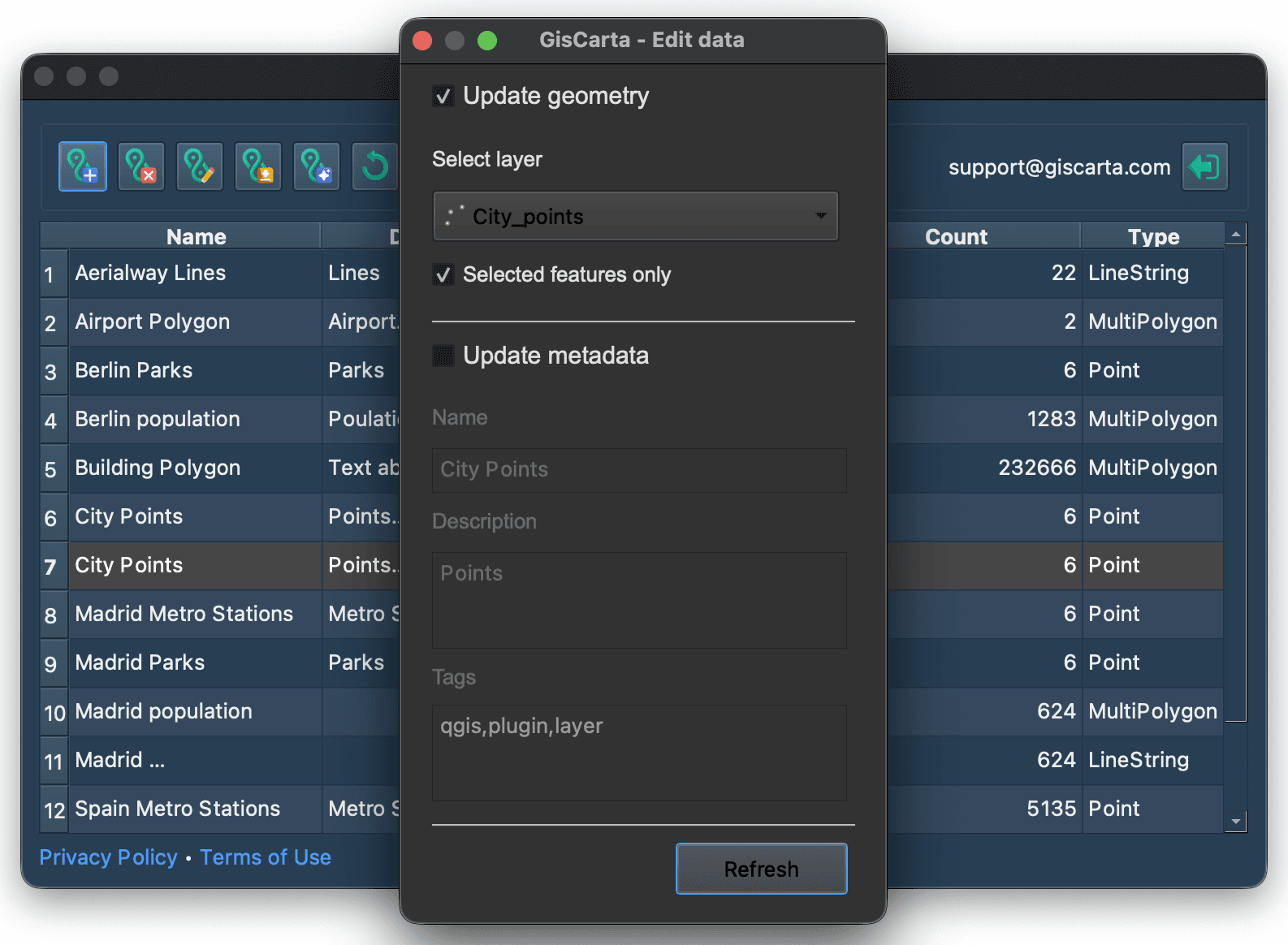
En esta ventana, el usuario puede actualizar la geometría de la capa o sus metadatos.
Para actualizar la geometría de la capa, haga clic en la casilla Actualizar geometría y seleccione la capa cuya geometría se utilizará para actualizar la capa en la plataforma GISCARTA. También puede marcar la casilla "Solo entidades seleccionadas" para usar únicamente las entidades seleccionadas en QGIS.
Para actualizar los metadatos de la capa, debe hacer clic en la casilla Actualizar metadatos y completar los campos Nombre de la capa, Descripción de la capa y Etiquetas.

A continuación, solo necesita hacer clic en el botón Actualizar