GIS for Education

GIS for Education

GISCARTA brings GIS for education into everyday teaching. Build and share interactive maps in class, connect real data to geography and history topics and make learning clear and memorable for students.

GISCARTA brings GIS for education into everyday teaching. Build and share interactive maps in class, connect real data to geography and history topics and make learning clear and memorable for students.

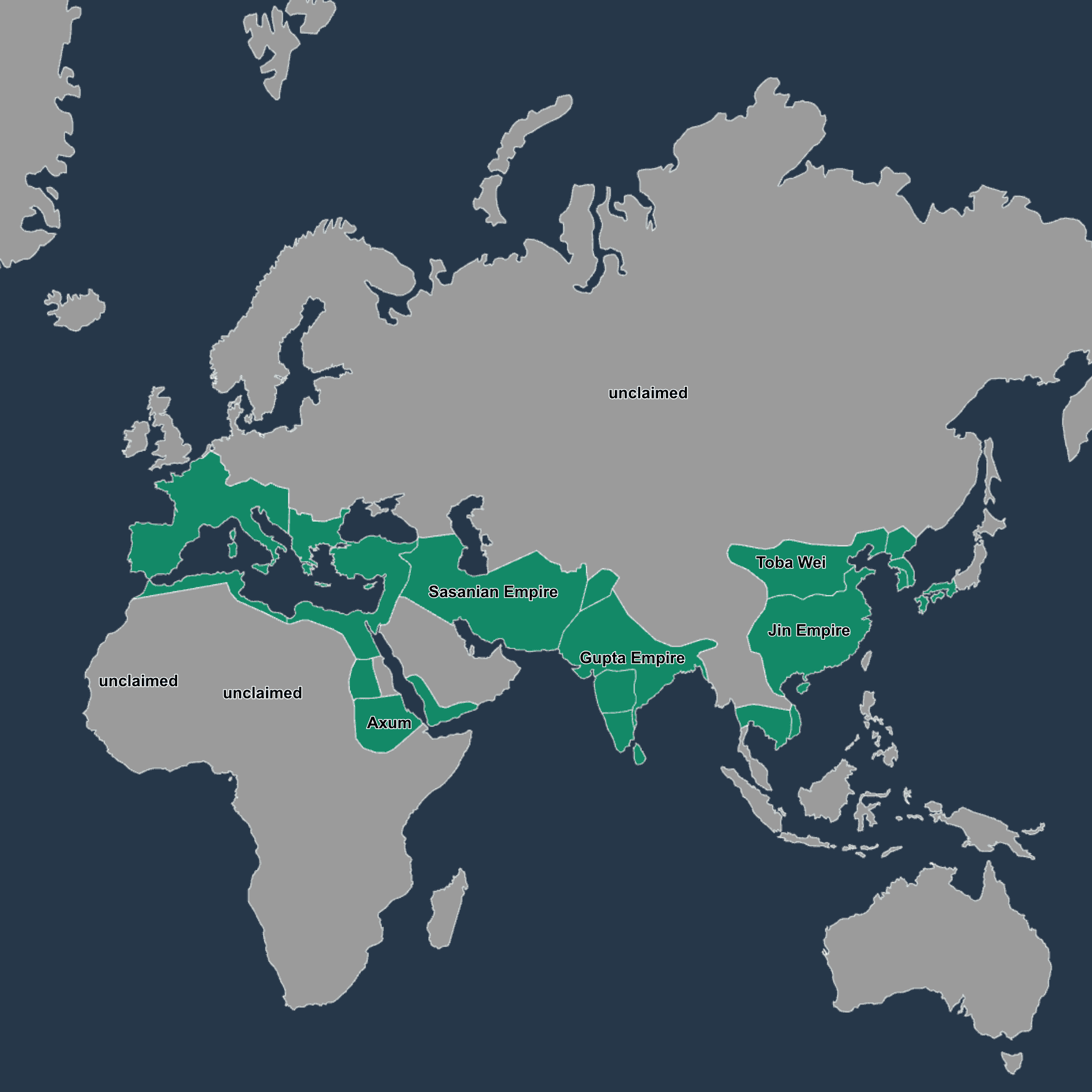
Classroom using GIS for education on an interactive world map

What problems we solve

What problems we solve

Schools and universities often use static maps and scattered files. Projects are hard to follow and students see results too late. GISCARTA puts maps, layers and notes in one place, so teachers can guide classes live and students can explore on their own.

Schools and universities often use static maps and scattered files. Projects are hard to follow and students see results too late. GISCARTA puts maps, layers and notes in one place, so teachers can guide classes live and students can explore on their own.

What problems we solve

Schools and universities often use static maps and scattered files. Projects are hard to follow and students see results too late. GISCARTA puts maps, layers and notes in one place, so teachers can guide classes live and students can explore on their own.

Quick checklist

Create a class project and set learning goals

Add base maps, lesson layers and example datasets

Save outputs as simple map views for review

Share a view link with students or invite them to edit
Key capabilities for schools and universities

Key capabilities for schools and universities

GISCARTA focuses on simple tools that fit teaching plans and coursework
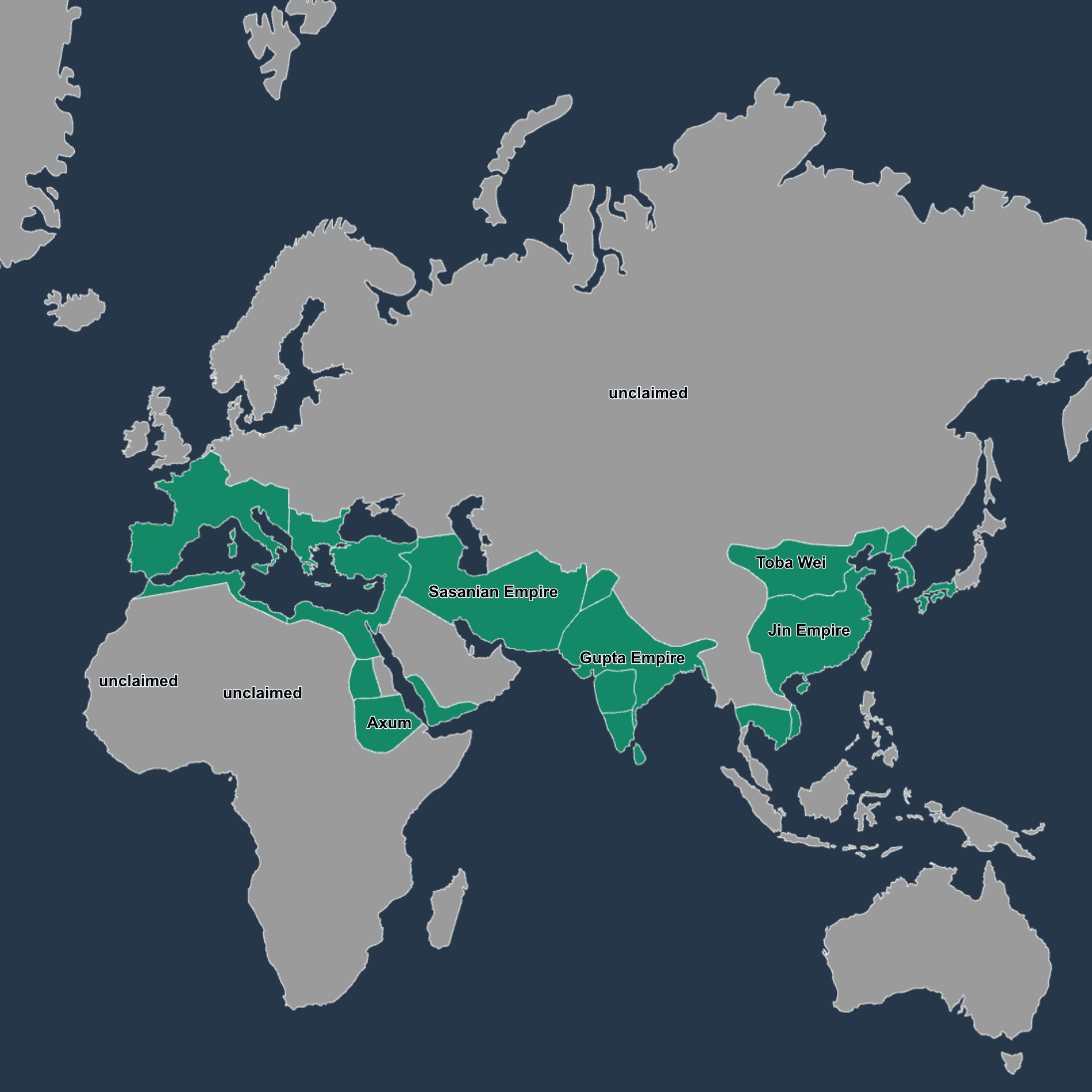
History lesson map showing trade routes with class annotations

Data integration

Data integration

Data integration

Data integration

Bring spreadsheets and common GIS formats into one project. Keep layers organized by class, week, or topic.
  • Load points, lines and polygons
  • Tag layers by unit or semester
  • Use simple filters for attributes
Bring spreadsheets and common GIS formats into one project. Keep layers organized by class, week, or topic.
  • Load points, lines and polygons
  • Tag layers by unit or semester
  • Use simple filters for attributes
Bring spreadsheets and common GIS formats into one project. Keep layers organized by class, week, or topic.
  • Load points, lines and polygons
  • Tag layers by unit or semester
  • Use simple filters for attributes
Bring spreadsheets and common GIS formats into one project. Keep layers organized by class, week, or topic.
  • Load points, lines and polygons
  • Tag layers by unit or semester
  • Use simple filters for attributes

Interactive mapping

Interactive mapping

Interactive mapping

Present city growth, trade routes, or environmental change on a live map. Let students toggle layers and compare scenarios.
  • Turn layers on or off to tell a story
  • Search places and features in seconds
  • Save map views for homework or exams

Geospatial analysis

Geospatial analysis

Geospatial analysis

Introduce core methods without heavy setup. Measure distances in meters and kilometers, draw buffers and calculate areas.
  • Build 500 m buffers around
  • Compare land use around a 2 km radius
  • Annotate findings with clear notes

Collaboration in the field

Collaboration in the field

Collaboration in the field

Work as a class in real time. Keep a single source of truth for each assignment.
  • Role-based view and edit access
  • Comments on layers and features
  • Project folders per course or section

Getting started with GIS for education

Getting started with GIS for education

Create a course workspace

Create a course workspace

Step 1

Import lesson datasets for geography or history

Import lesson datasets for geography or history

Step 2

Set up a short activity with clear steps

Set up a short activity with clear steps

Step 3

Share the map, then discuss results together

Share the map, then discuss results together

Step 4

Proof you can rely on & Outcomes

Proof you can rely on & Outcomes

Educators use GISCARTA to run map-based lessons, support fieldwork and present findings to departments. The platform supports secure sharing and works for both small classes and larger programs.

More interactive lessons and faster feedback

More interactive lessons and faster feedback

More interactive lessons and faster feedback

More interactive lessons and faster feedback

Clear evidence of student work on maps

Clear evidence of student work on maps

Clear evidence of student work on maps

Clear evidence of student work on maps

Simple tools that fit academic schedules

Simple tools that fit academic schedules

Simple tools that fit academic schedules

Simple tools that fit academic schedules

Frequently Asked Questions

Frequently Asked Questions

Frequently Asked Questions

Frequently Asked Questions

What is GIS for education and how is it used in class?

Which subjects benefit from geospatial analysis?

Do students need prior GIS skills?

Can we use our own school datasets?

Is GISCARTA suitable for universities and schools?

What is GIS for education and how is it used in class?

Which subjects benefit from geospatial analysis?

Do students need prior GIS skills?

Can we use our own school datasets?

Is GISCARTA suitable for universities and schools?

What is GIS for education and how is it used in class?

Which subjects benefit from geospatial analysis?

Do students need prior GIS skills?

Can we use our own school datasets?

Is GISCARTA suitable for universities and schools?

What is GIS for education and how is it used in class?

Which subjects benefit from geospatial analysis?

Do students need prior GIS skills?

Can we use our own school datasets?

Is GISCARTA suitable for universities and schools?

Result, lessons gain clarity and engagement with GIS for education

Result, lessons gain clarity and engagement with GIS for education

Result, lessons gain clarity and engagement with GIS for education