On March 6, 2026, the new version of QGIS 4.0, named Norrköping, was released. Following tradition, the project was named after the city where the developers' meeting took place—this time, Norrköping, Sweden. But what's more important than the geography is the vision behind this release.
QGIS 4.0 marks a new technological leap. The program now runs on the Qt6 framework, which impacts not only its appearance but also its performance, stability, and future development potential.
For a full list of updates, you can check the official changelog.You can also watch an overview of the release here.
Below, we'll look at some of the most practical changes.
Cartographic Tools
One of the most notable updates is the new tool for copying objects along a line. Now, users can create arrays of points, lines, or polygons, automatically distributing them along a specified path.
This is especially useful when working with infrastructure objects, such as placing streetlights along roads, trees along alleys, or utility network elements. Previously, such tasks required either manual editing or the use of third-party plugins. Now, this functionality is built directly into QGIS.
User Interface Updates
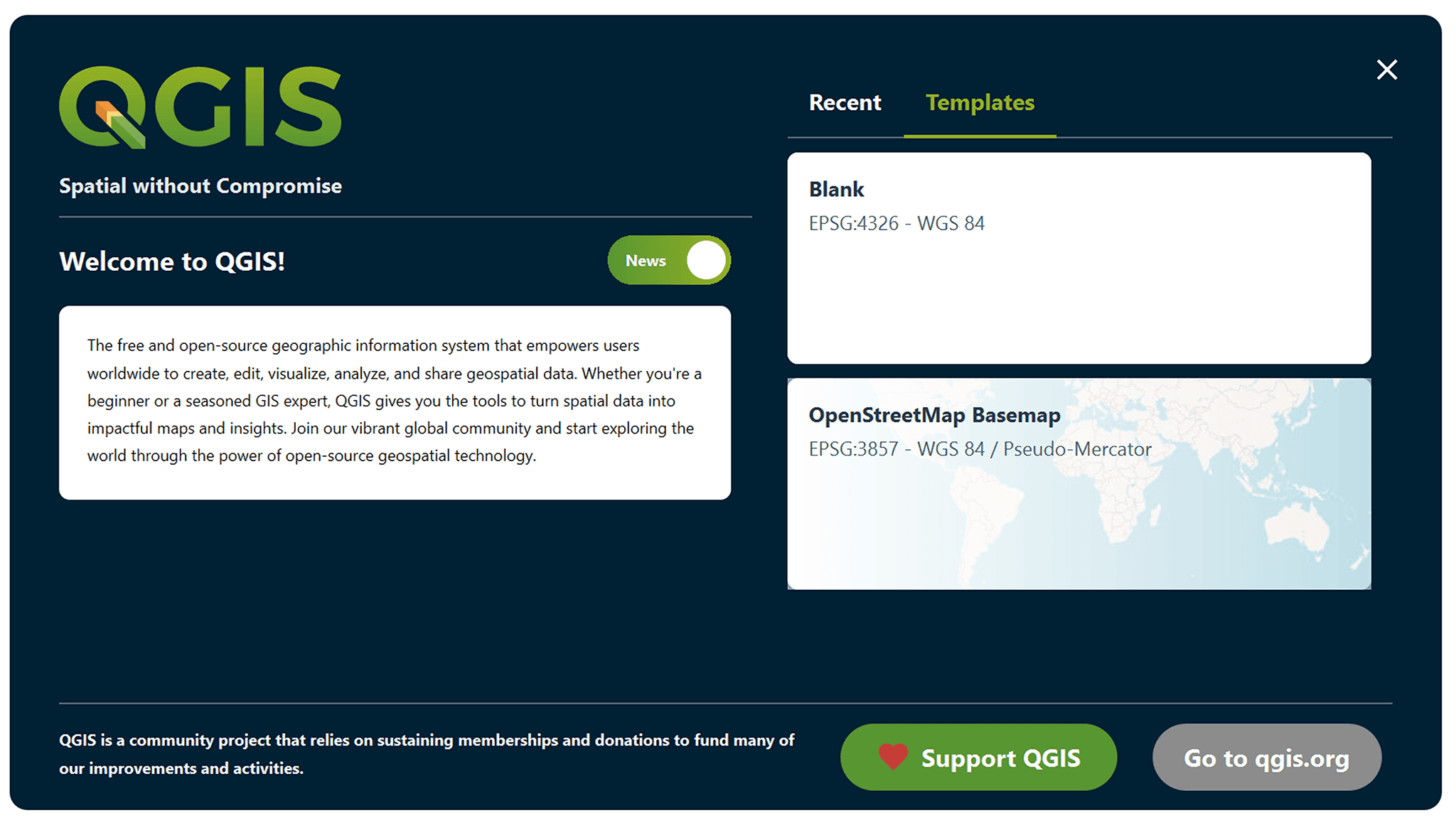
QGIS 4.0 features a significant user interface overhaul. Starting with the new start page, which is more structured and convenient for quick access to projects and tools.
Furthermore, users can now create their own toolbars and customize menus for specific tasks. This is especially useful when working with repetitive operations, where it's important to reduce unnecessary steps.
Even small improvements, such as zooming to a selected attribute table object by double-clicking, prove to be very significant in real-world work – especially when analyzing large tables.
Working with Symbology
A significant update has been added to the styles section. QGIS now allows you to copy and paste all layer styles at once, rather than one at a time.
This solution significantly simplifies working with cartographic design. If a project uses complex symbology or multiple data display options, transferring styles between layers now takes just a few seconds. Annotations and Labels
Significant changes have been made to the labeling experience. First, a new text annotation tool has been added, making adding notes to the map more convenient.
Second, the logic for labeling multi-component geometries has been redesigned. Now, users can choose how to display labels: only for the largest part of the feature, for all parts, or even split the text into multiple lines and distribute them across the geometry. This approach is especially useful when working with administrative boundaries or complex natural features.
Additionally, there's now an option to ignore spaces when detecting label collisions. This allows for more flexible text placement, especially along extended features, such as rivers or roads, where it's important to maintain readability without cluttering the map.
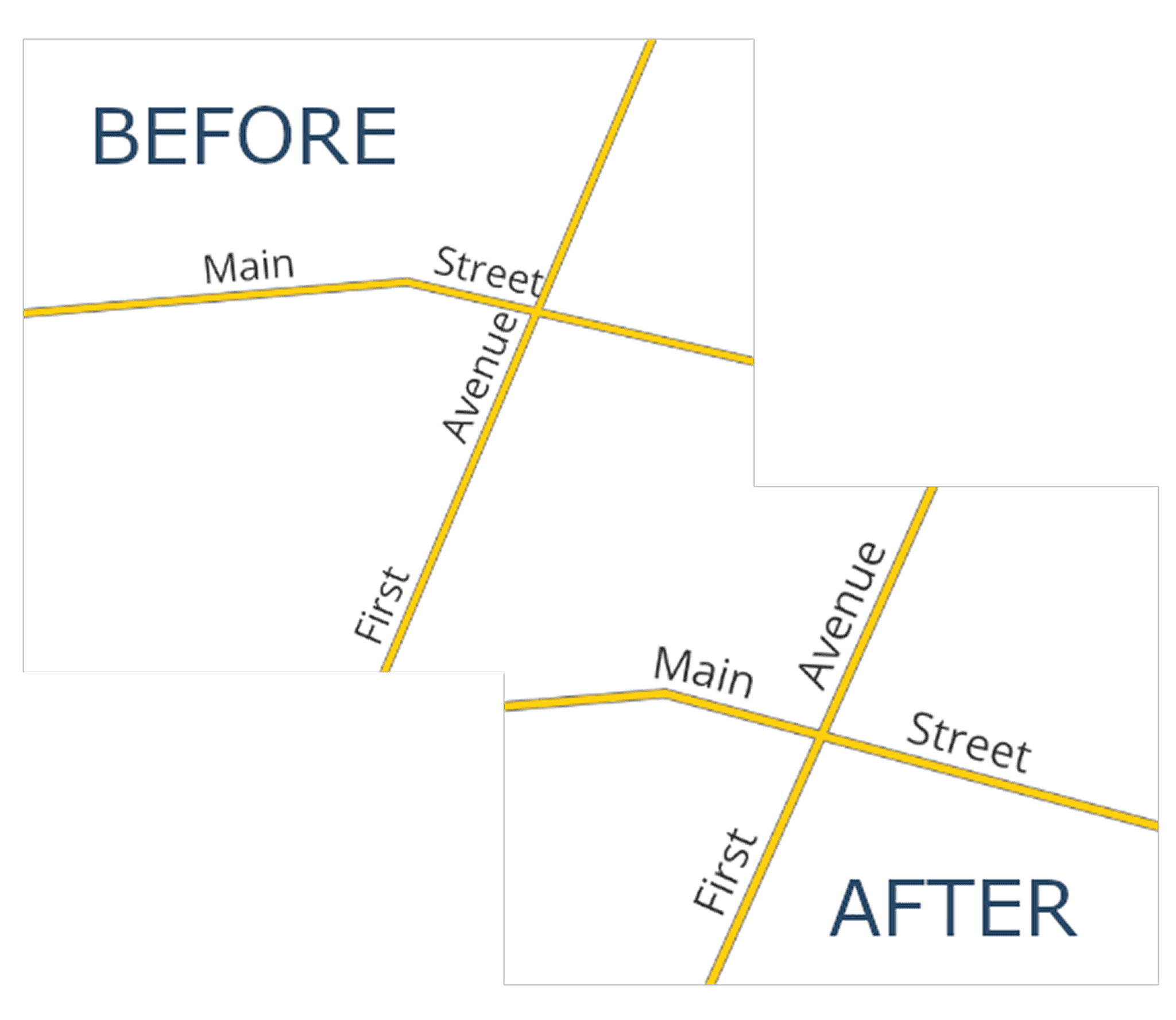
Comparison of line labels in different versions. Source: changelog.qgis.org
Layouts and Printing
Several significant changes have also been made to the print layout area. For example, you can now control the horizontal alignment of grid annotations, which improves the appearance, especially when working with multi-line labels. The legend logic has been significantly redesigned. Instead of a single automatic update mode, several synchronization options are now available: with all project layers, only visible layers, or completely manual adjustments. This provides greater control, especially in complex projects with large amounts of data.
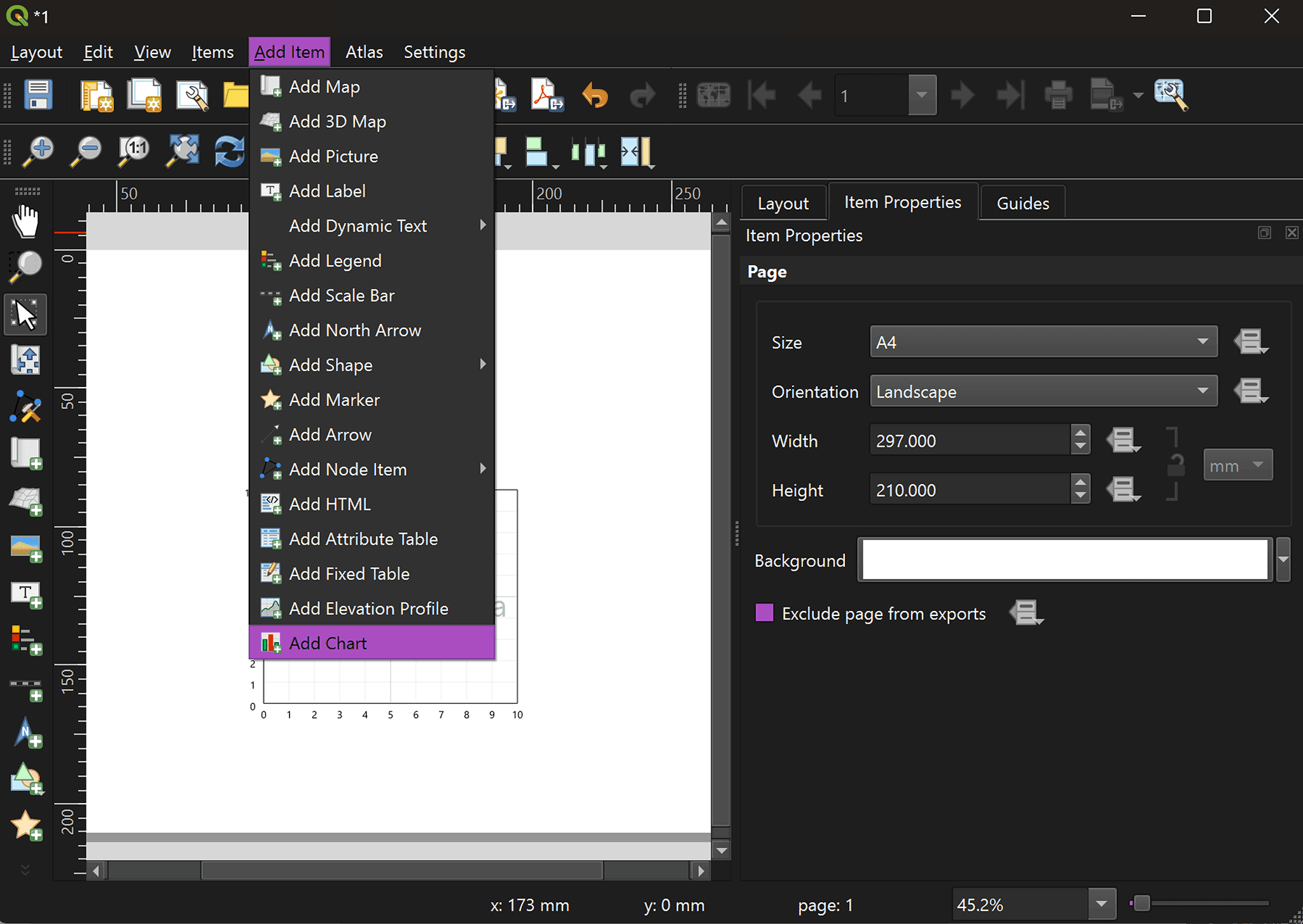
A major addition is the new chart element. Users can now add pie charts, histograms, and line charts directly into layouts. These charts are based on layer attributes and can be configured using expressions and filters. This turns layouts into analytical dashboards rather than just static map outputs.
We've also added the ability to quickly set the map scale for a selected layer, simplifying map extent settings when preparing maps for printing.
3D Improvements
QGIS 4.0 also introduces important updates in 3D functionality, which can be grouped into three main areas.
First, improved programmability through the PyQGIS API allows developers to work more flexibly with 3D scenes and automate workflows.
Second, proper support for annotations in 3D scenes has been added. This makes it easier to create more informative and readable 3D visualizations.
Third, performance improvements for working with point clouds, especially COPC (Cloud Optimized Point Cloud), significantly enhance the handling of large 3D datasets.
Summary
QGIS 4.0 Norrköping is an update that is noticeable in everyday work. It makes routine processes faster, more convenient, and more flexible.
The transition to Qt6 lays the foundation for further development of the platform, while new tools and interface improvements help reduce routine operations and focus on data analysis. As a result, QGIS continues to strengthen its position as one of the most versatile open-source tools in the field of geographic information systems.
FAQ
What is the main technical change in QGIS 4.0?
The key update is the transition to the Qt6 framework, which improves performance, stability, and prepares the platform for future development.
Which update has the biggest impact on daily workflows?
Tools like copying objects along a line, improved labeling, and style transfer significantly reduce manual work and speed up map creation.
Are these updates relevant for beginners or only advanced users?
Most improvements, especially in the interface and layout tools, are useful for all users, regardless of their experience level.
Key Takeaways
QGIS 4.0 introduces not just new features but a more efficient and flexible workflow for everyday GIS tasks.
The transition to Qt6 lays the foundation for better performance and long-term platform development.
New tools for styling, labeling, and layout design make it easier to create complex maps with less manual effort.