Here you can customize the display style of point clouds by selecting the appropriate option:
Single Symbol
By Classification
Single Symbol
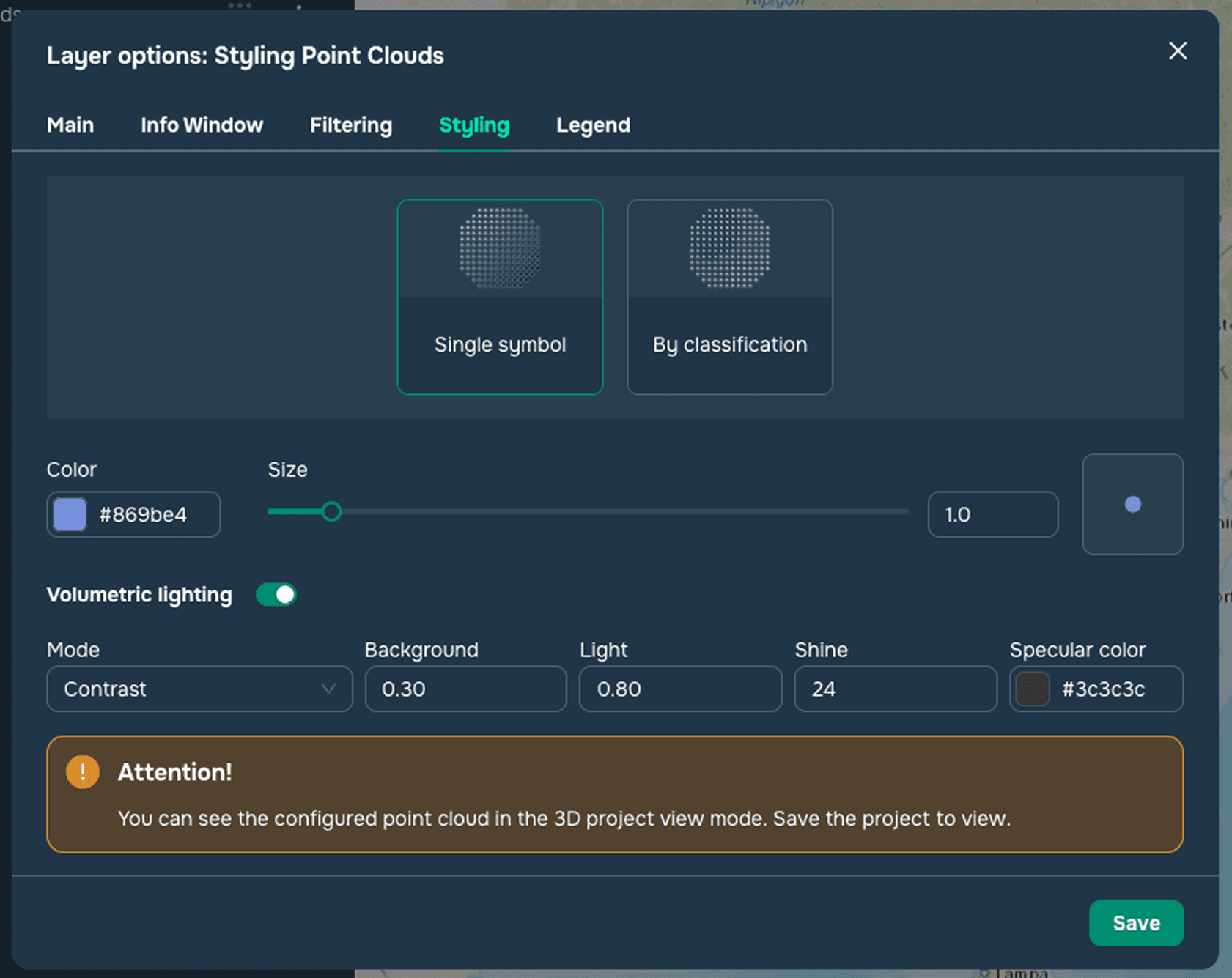
This style is used to style point clouds with a single symbol (see Figure 1). When configuring point clouds with a single symbol, you can change the point size, point color, and adjust the volumetric lighting settings:
Mode
Background
Light
Shine
Specular color
By classification
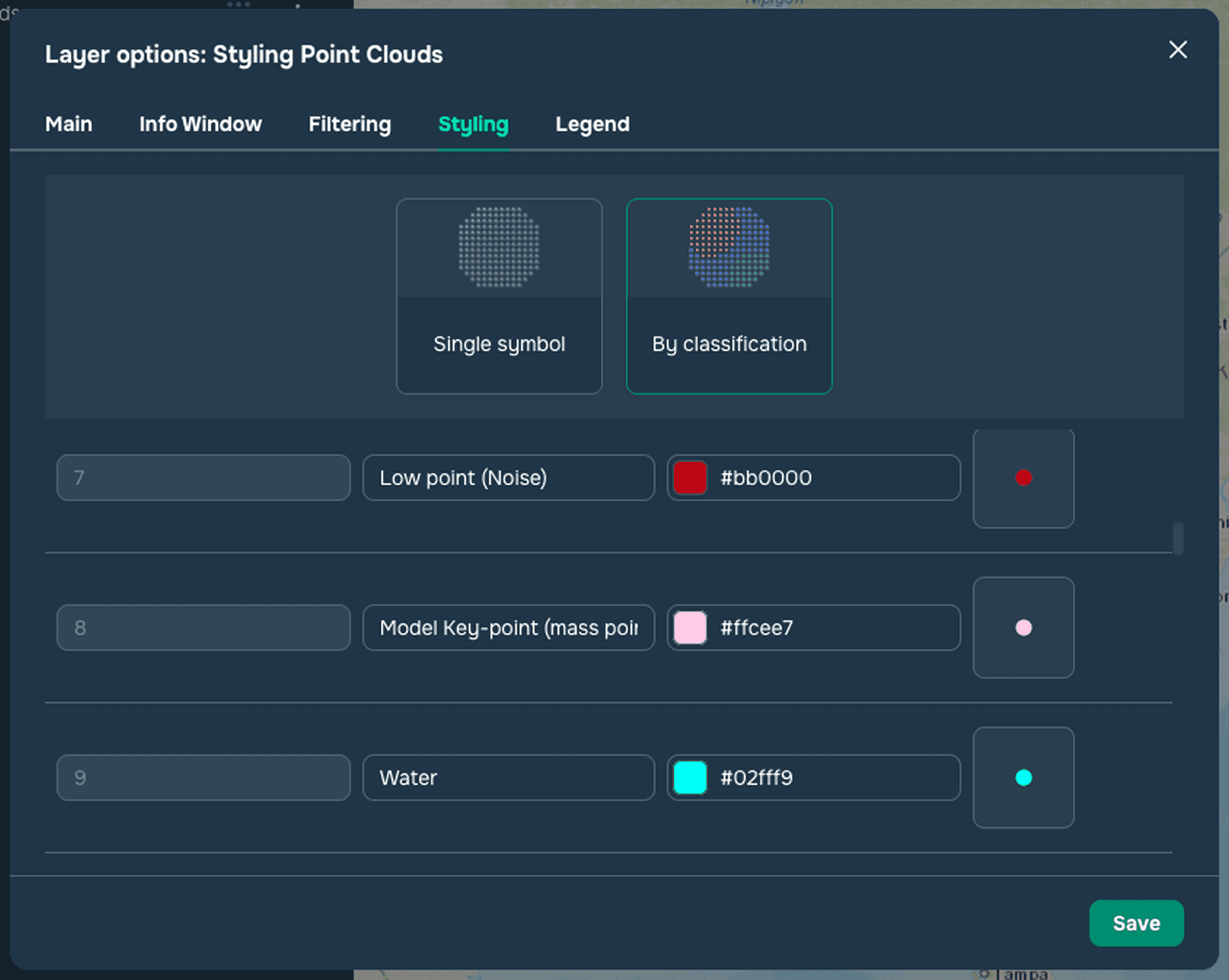
This style is applicable to point clouds with a classification attribute (see Figure 2). This section lists standard, commonly accepted values and colors for classifying point clouds. Users can also add their own values or change colors for existing values.
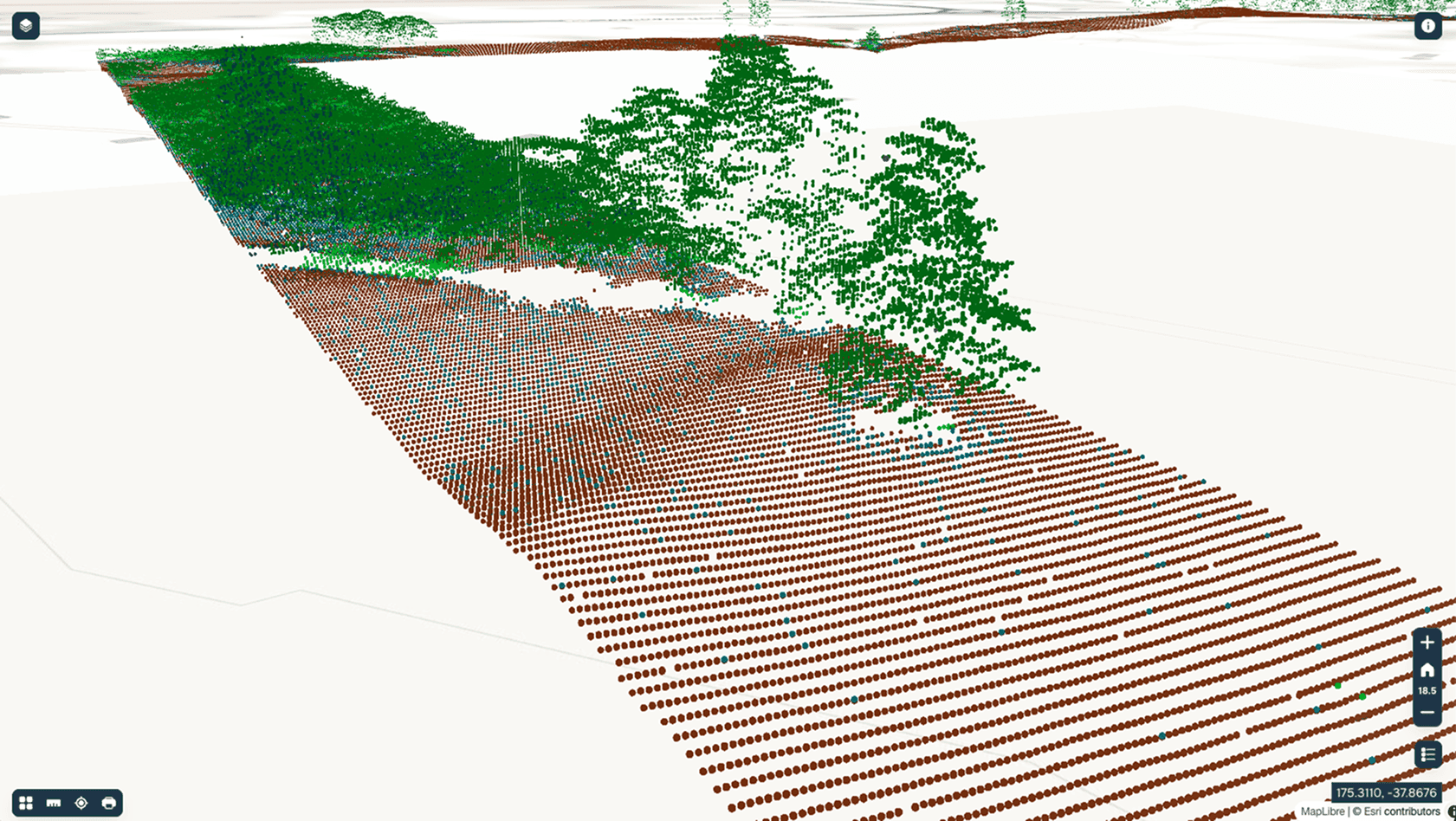
Point clouds can be displayed in the project’s 3D view mode (see Figure 3).